Fro

A Markdown editor for macOS

Style your words, naturally.

Styled where you type it. No preview pane, no web view, no Electron.

Fro 1.0 is not out yet · macOS 15 or later · Apple silicon and Intel

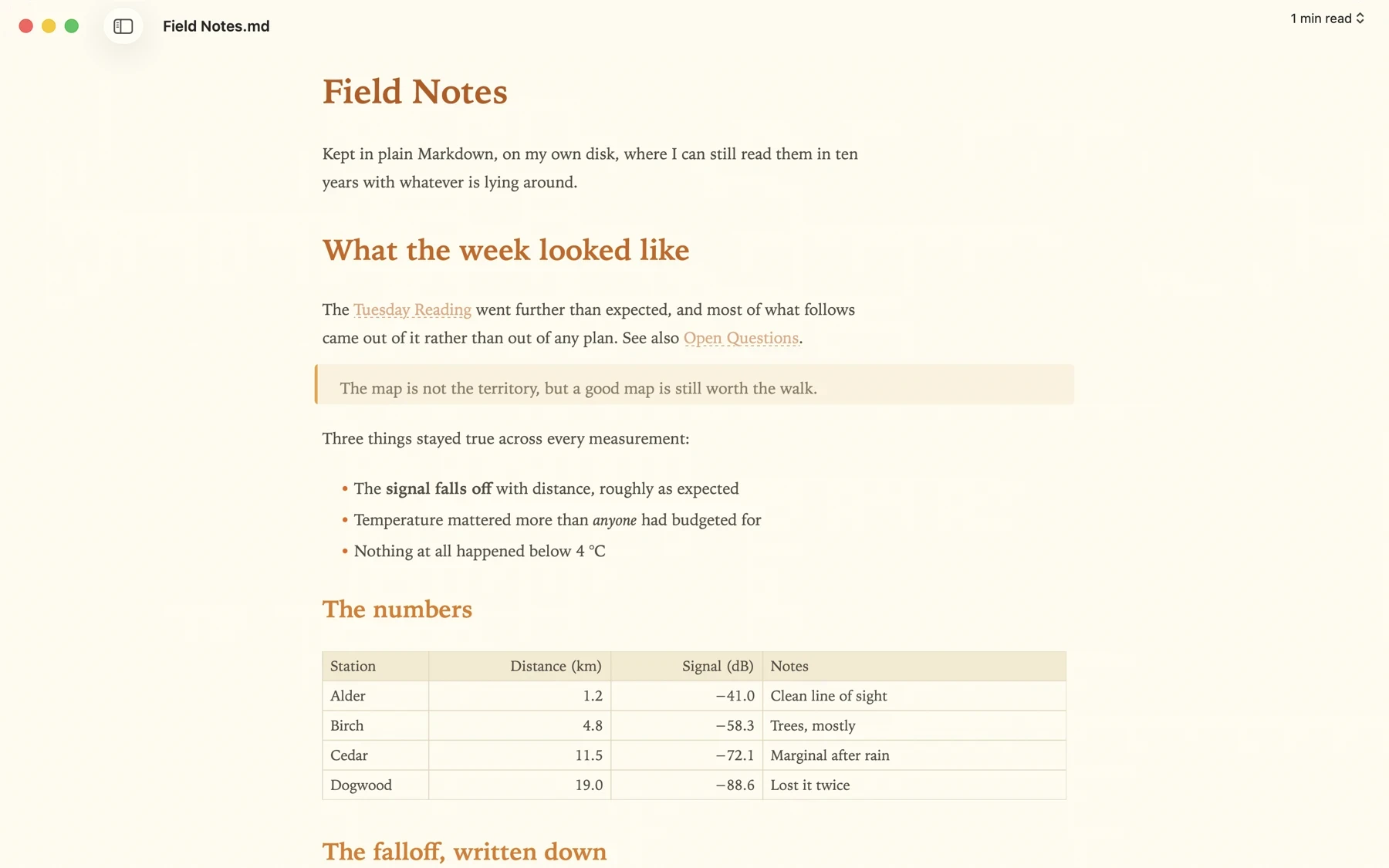
Fro editing a document called Field Notes. The heading, bold and
             italic text, a block quote, links to other notes and a four-column
             table are all drawn as themselves rather than as Markdown
             punctuation.
Syntax appears on the line you are editing, and steps aside when you leave it.

What it does

Everything happens in the document.

Tables, equations, diagrams and code are drawn where you wrote them.

Live preview, in the text

One surface, not two panes. The ## comes back when your cursor lands on the line.
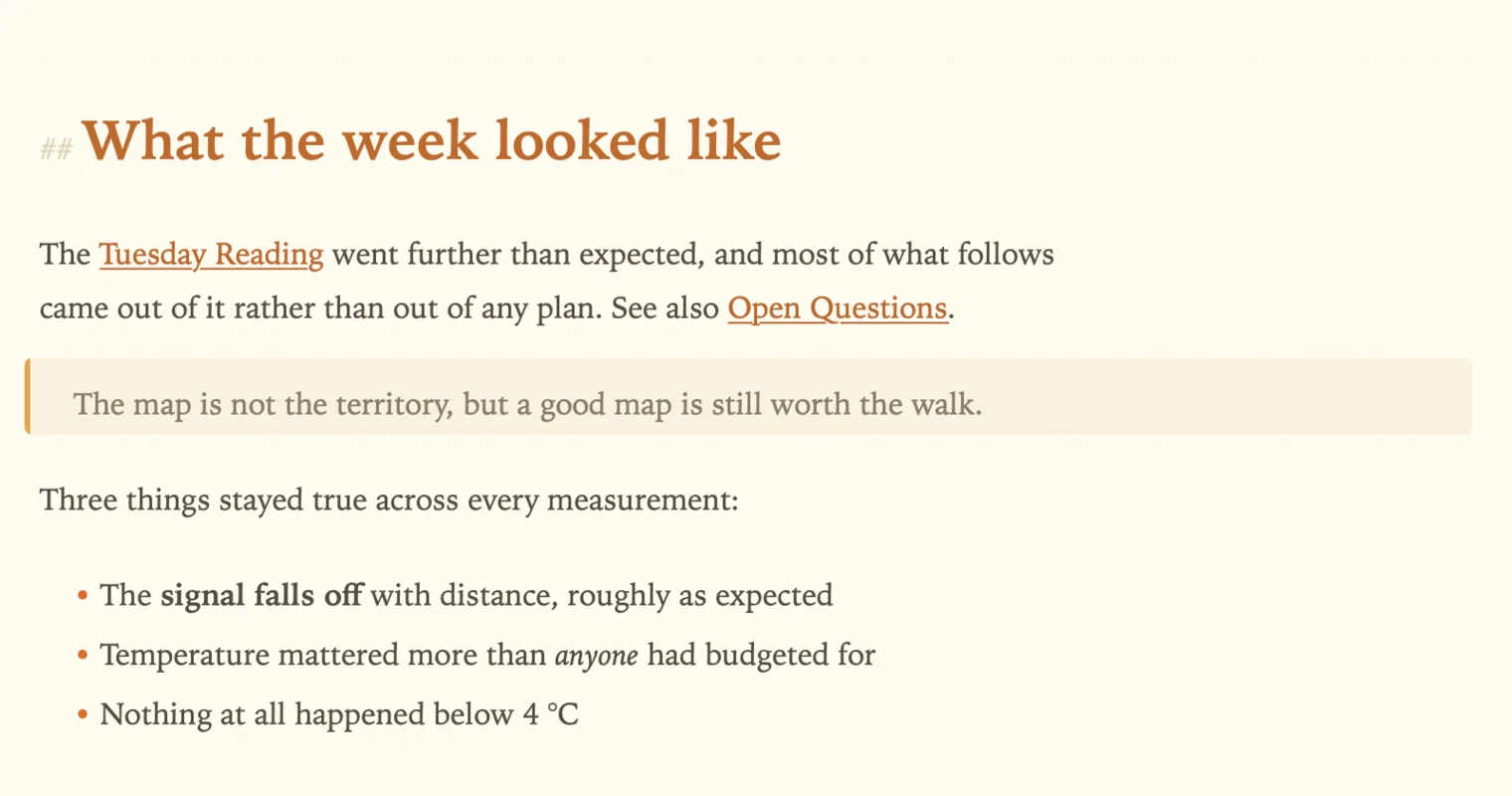
A heading with a faint ## in front of it because the cursor is on
               that line, above a paragraph whose wiki links are underlined, a
               block quote, and bullets with bold and italic text.

Tables you can edit

Pipe tables render as a grid you can type in. Ordinary Markdown is what gets saved.
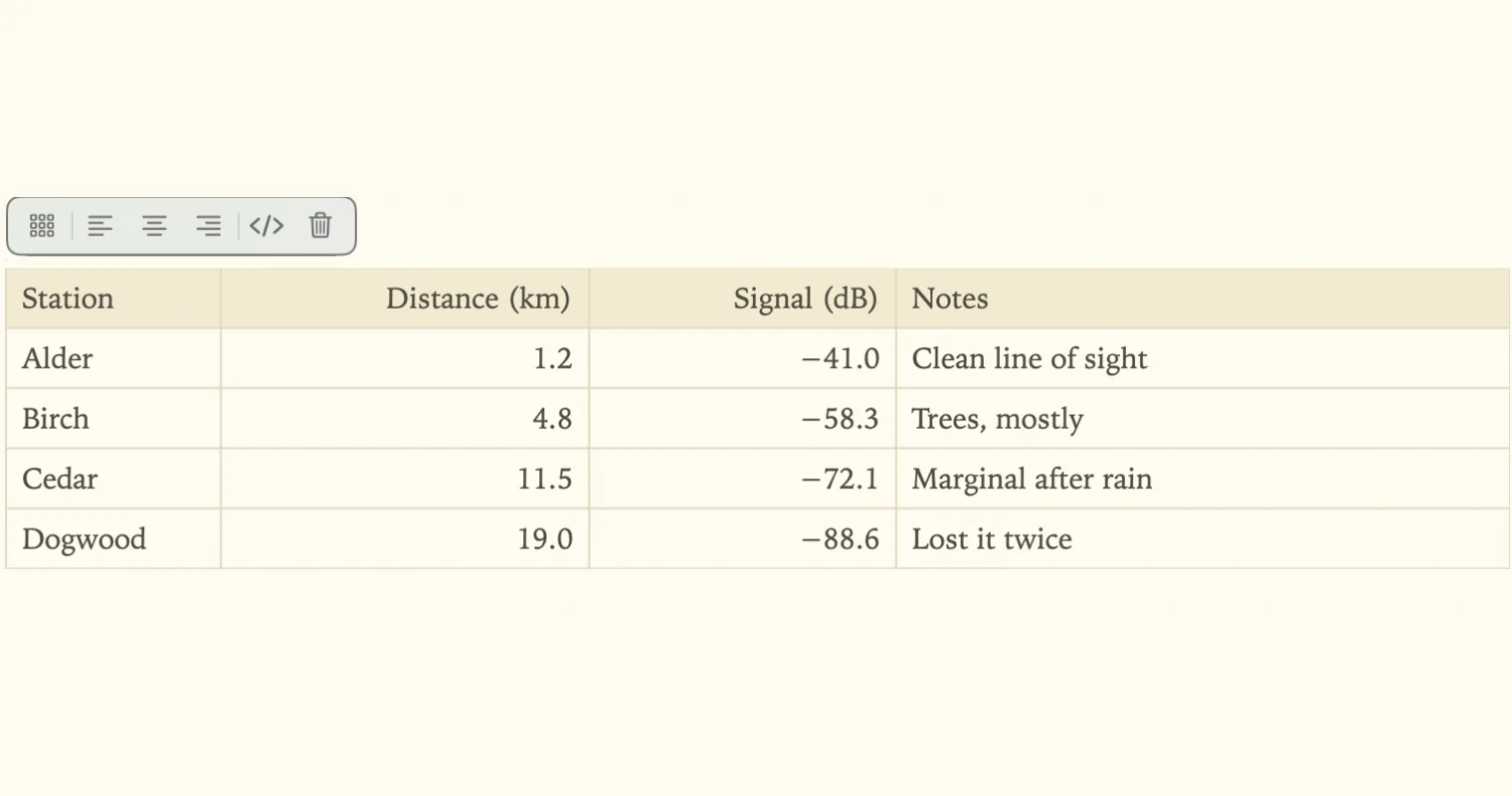
A four-column table of field measurements drawn as a grid, with a
               small floating toolbar above it holding buttons for table size,
               three alignments, the Markdown source and delete.

Math and diagrams

LaTeX inline and in blocks, Mermaid diagrams from the fence. Both rendered off-screen.
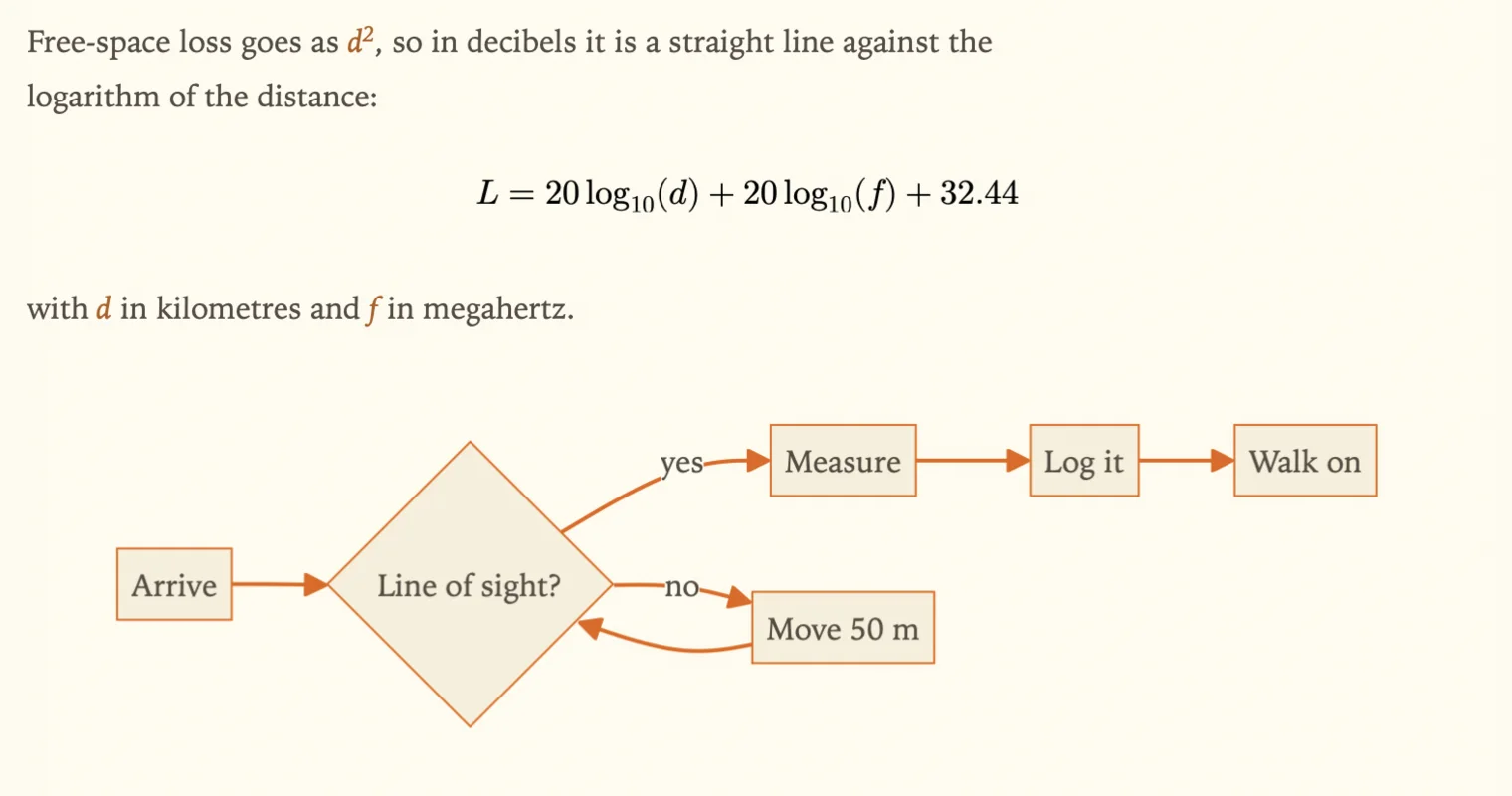
A displayed equation for path loss set as mathematical type, with
               inline symbols in the surrounding sentences, above a flowchart
               with diamond and rectangle nodes drawn from a Mermaid fence.

Code that looks like code

Fenced blocks highlighted by language, with line numbers when you want them.
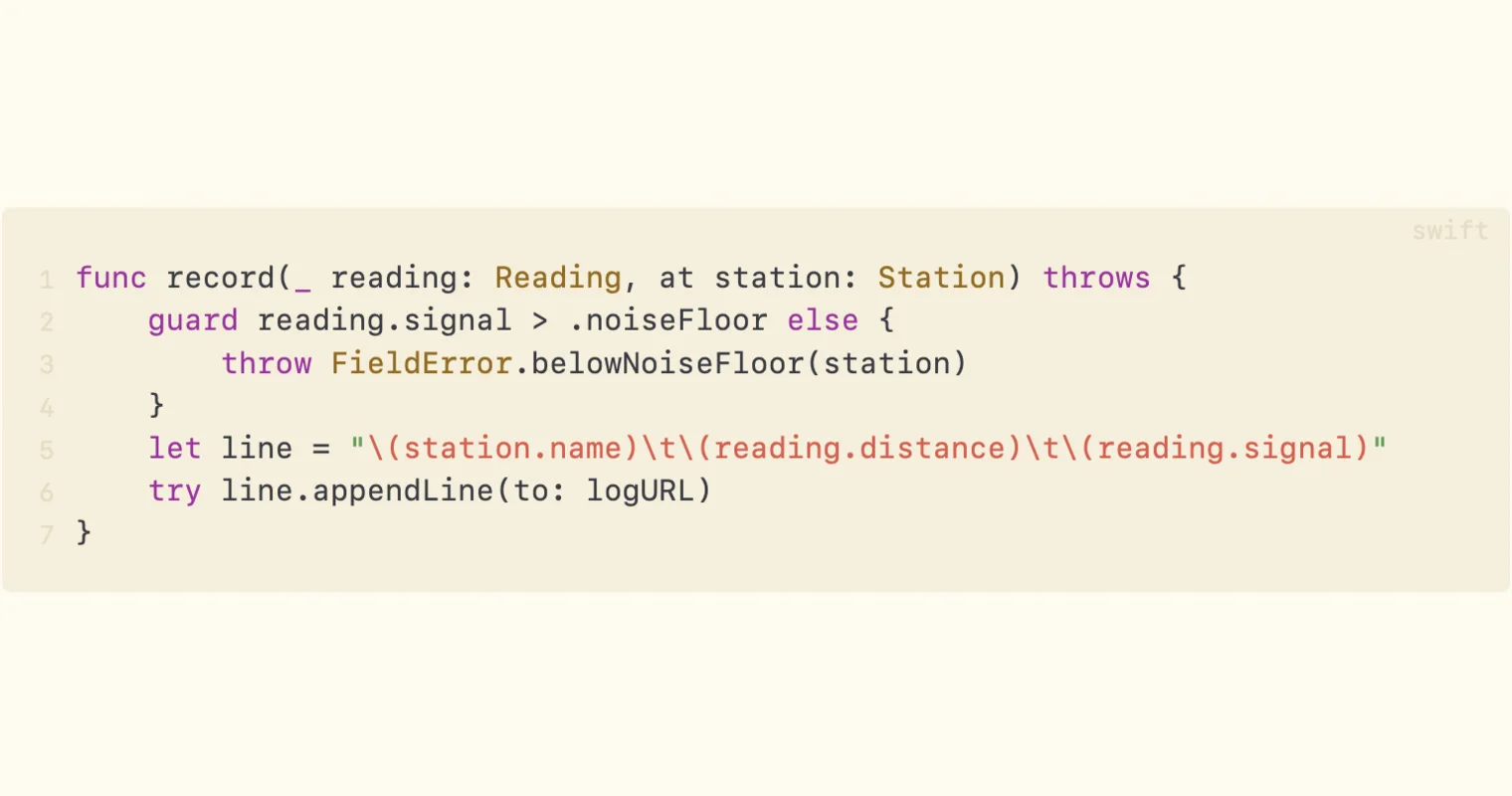
A Swift function on a tinted background, keywords and types in
               separate colours, numbered down the left edge, with the word
               swift faint in the top right corner.

Linked notes

Wiki links with completion as you type, and a panel showing what points here.
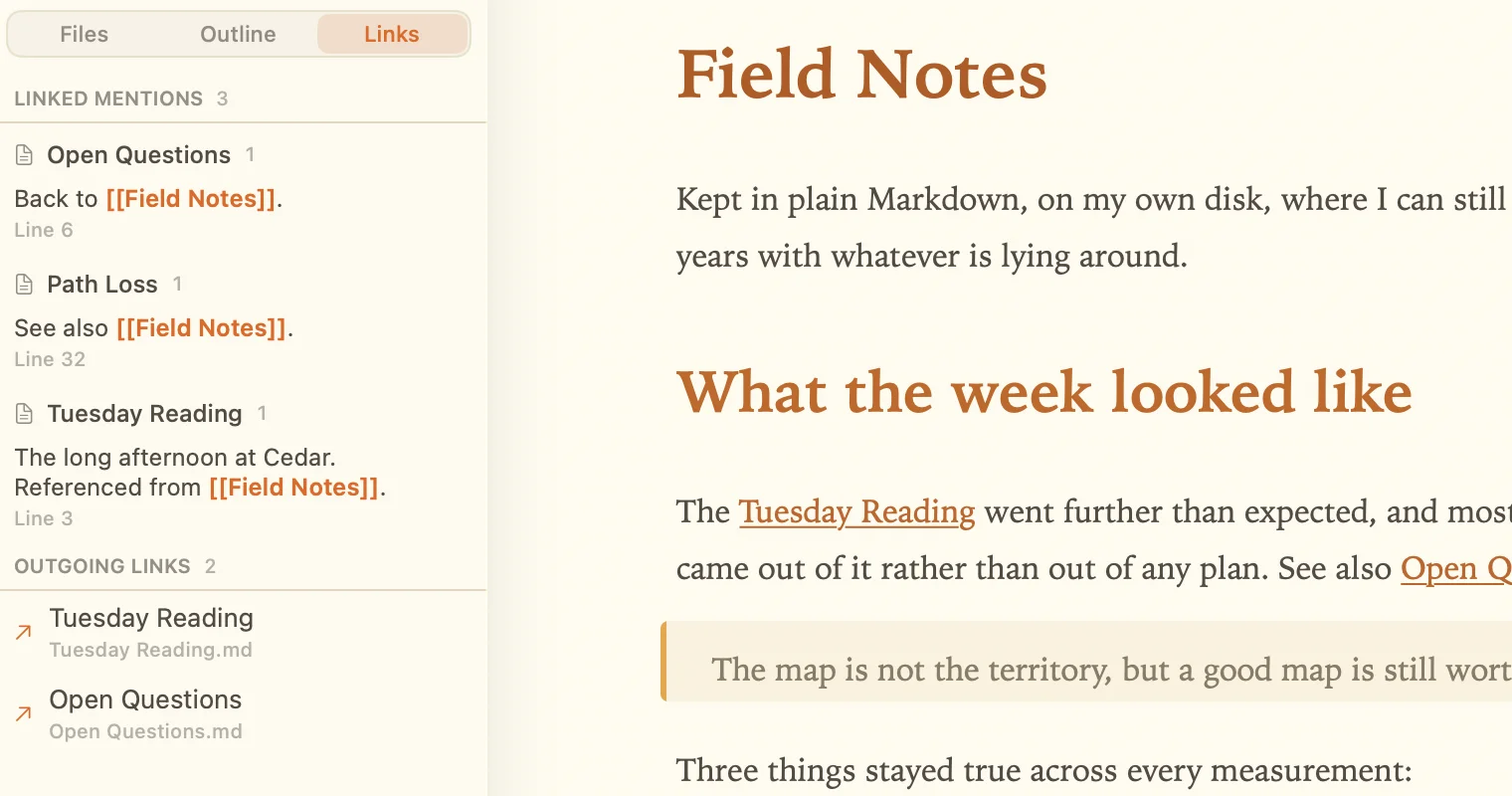
A sidebar panel headed Linked mentions listing three notes that
               link to the open document, each with the line it appears on and
               the sentence around the link, and below it the outgoing links.

Find your way around

An outline of the document, a file tree beside it, and fuzzy quick-open.
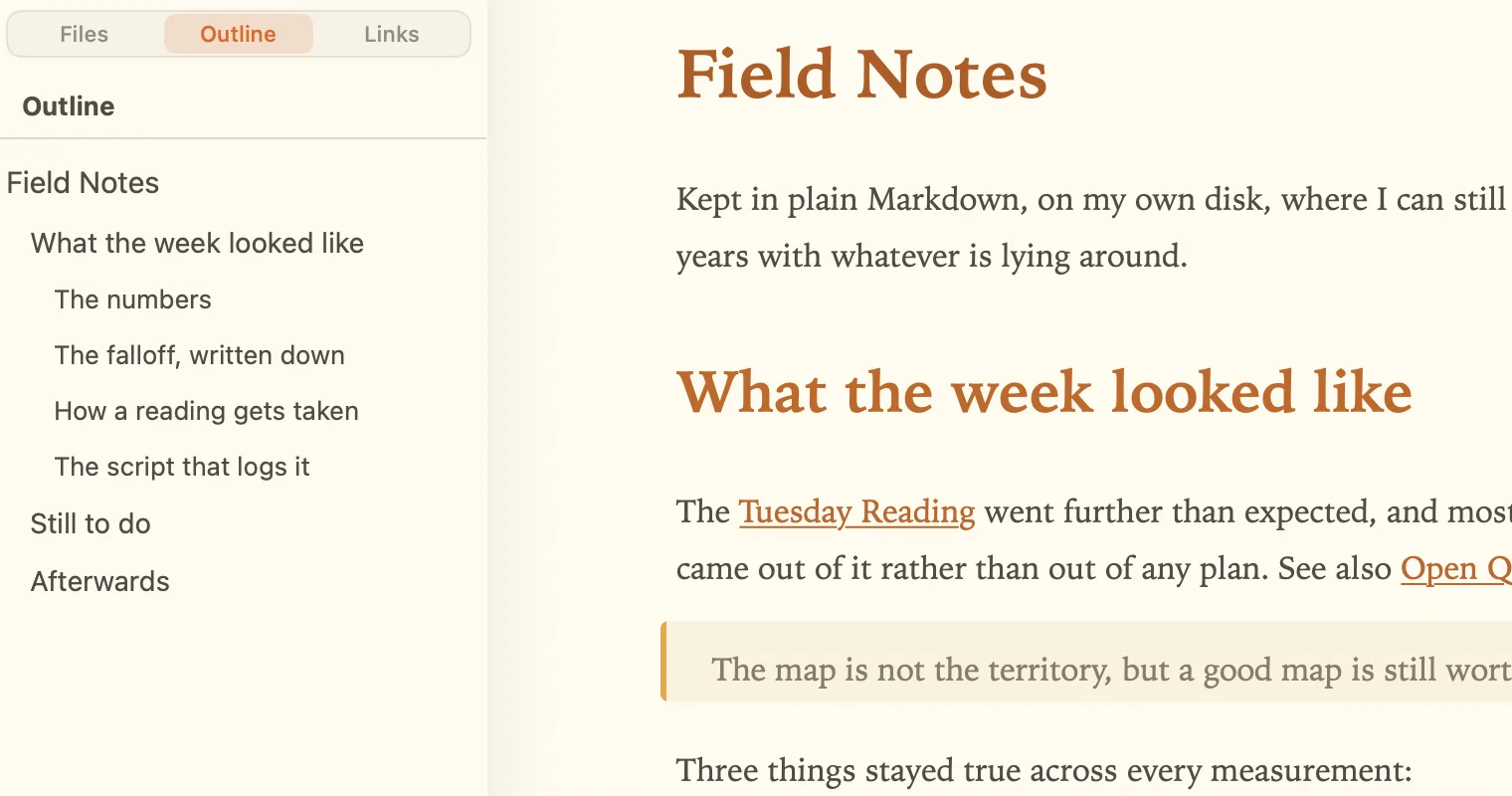
A sidebar showing the open document's headings indented by level,
               from the title down to the third-level sections, next to the
               document itself.

Room to concentrate

Focus mode dims every line but yours. Typewriter mode keeps it centred.
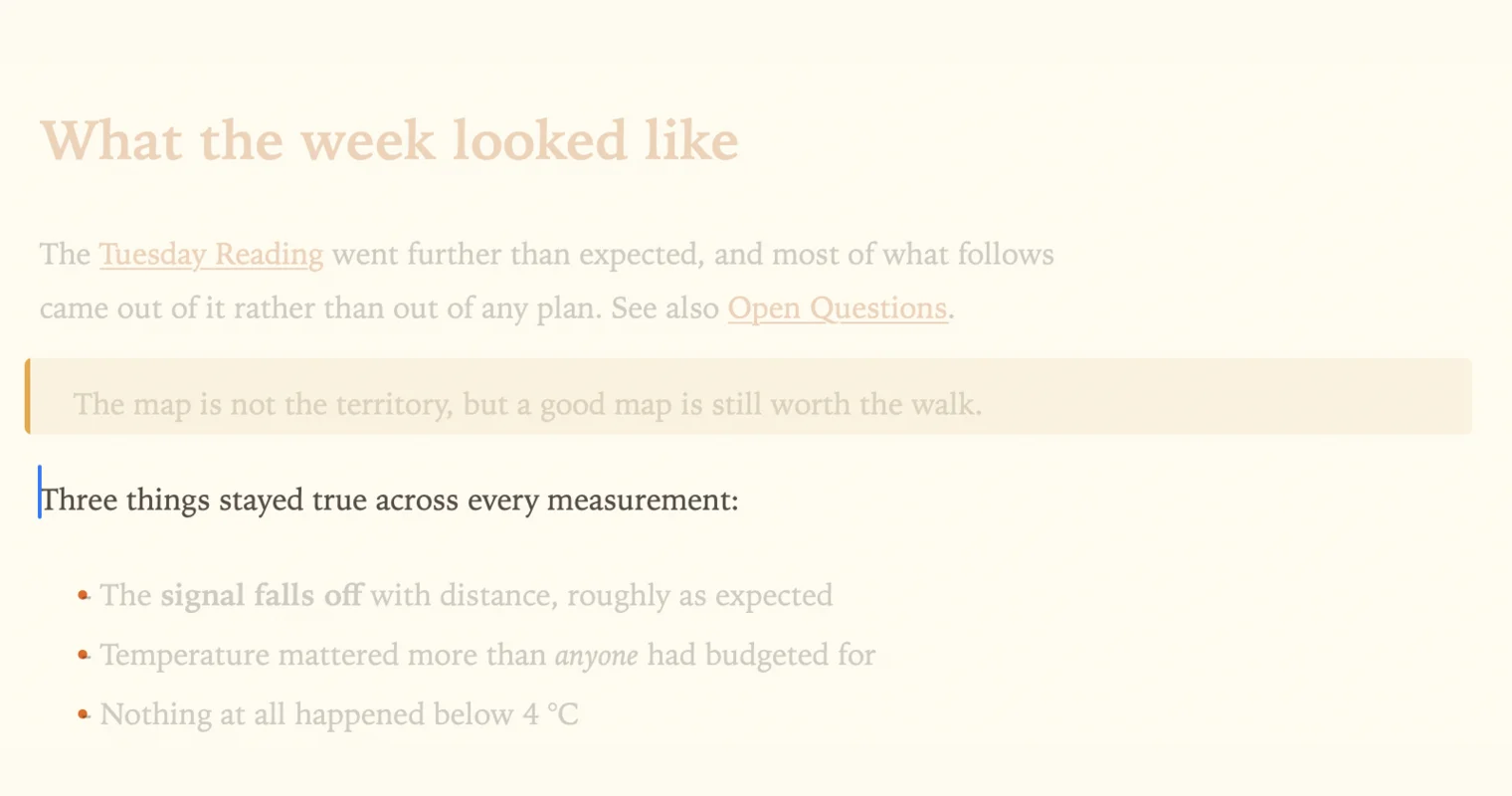
The same page of text with every line faded back except the one
               holding the cursor, which stays at full contrast.

Genuinely native

AppKit and TextKit 2, so Writing Tools, dictation and spelling are the system's own.
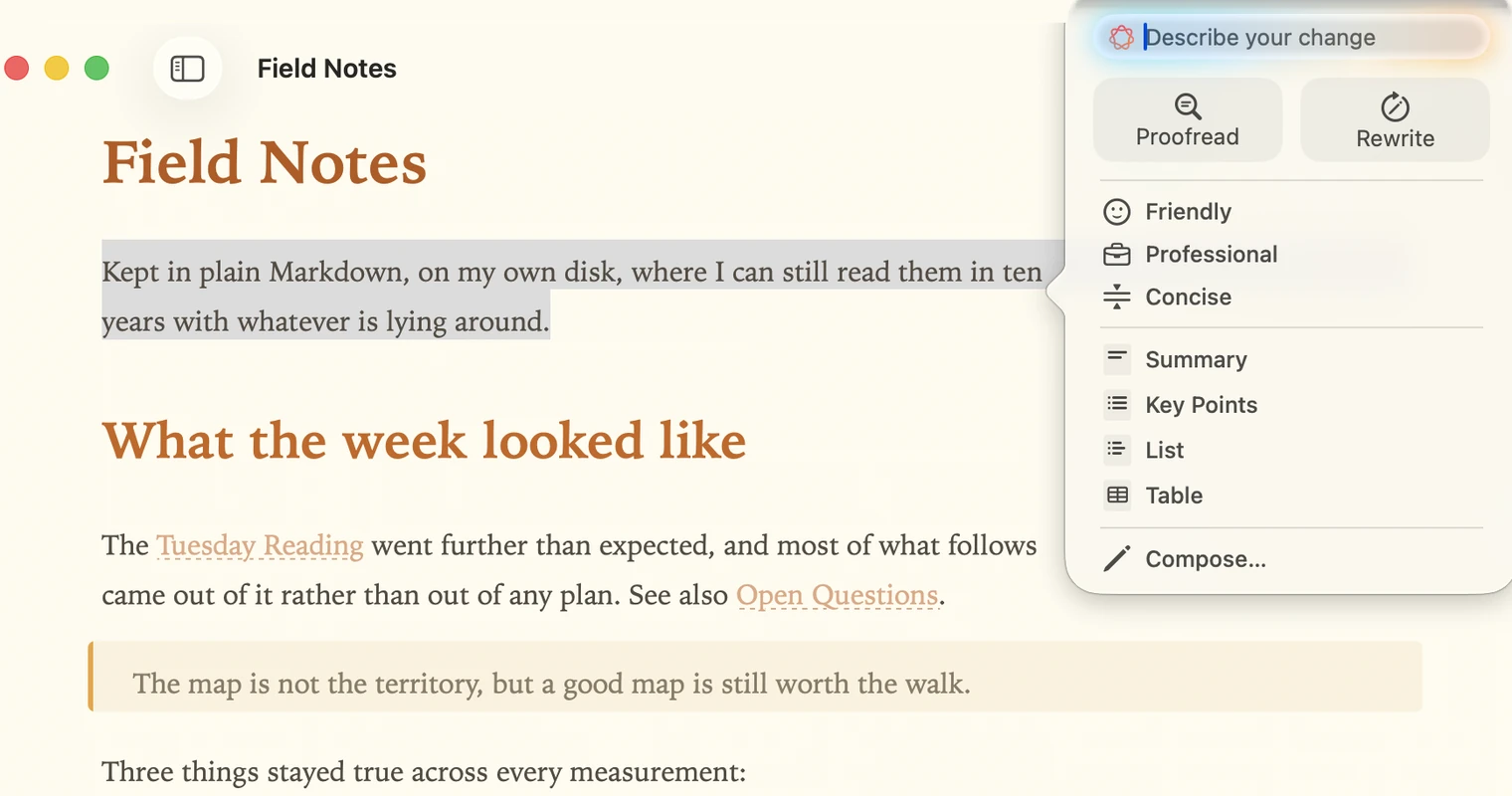
macOS Writing Tools open over the document, offering Proofread,
               Rewrite, three tones and the summary formats, with the selected
               paragraph highlighted behind it.

Publish ready and share anywhere

Export to PDF, HTML, and more. Copy as txt, RTF, or HTML.

What it costs

14 days free trial · up to 3 Macs

$14.99$12.99

A limited-time price. What you are buying is a licence for Fro.

Fro 1.0 is not out yet. Pre-order and your key is emailed straight away; we write to you again when the download is up.

Pre-order Fro